The product
A desktop they recognise at once
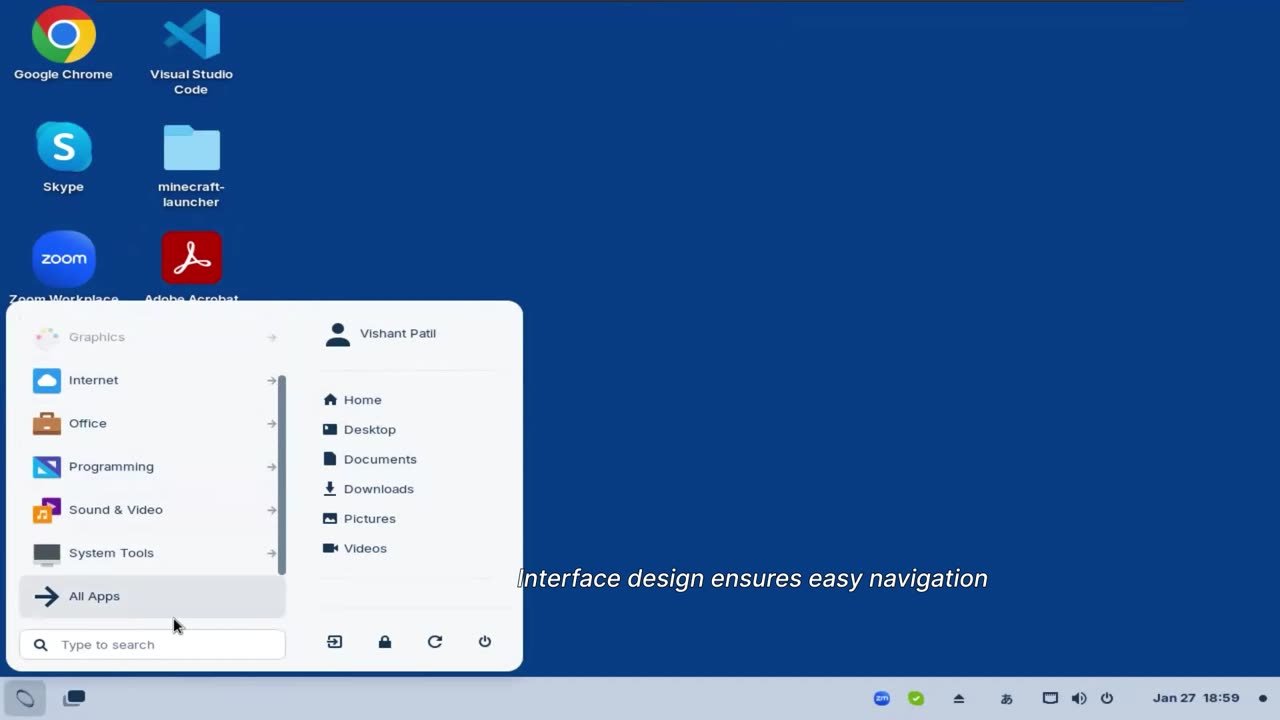
The interface matches what people know from Windows by 80 to 90 per cent. A briefing per department is enough, and the desk stays clear of manuals.
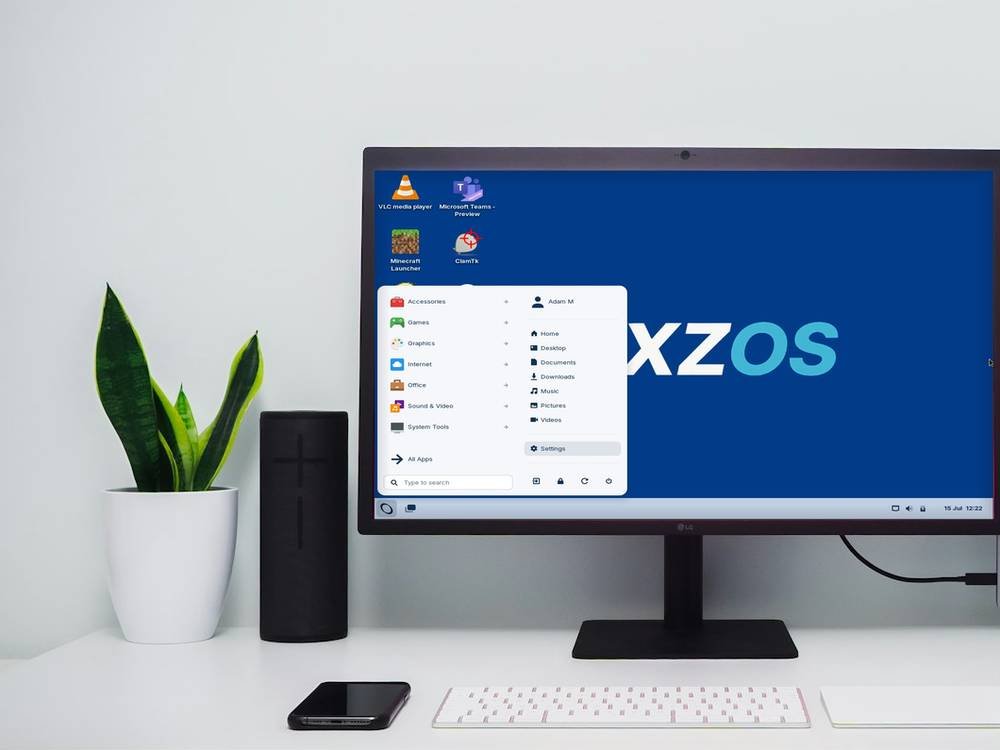
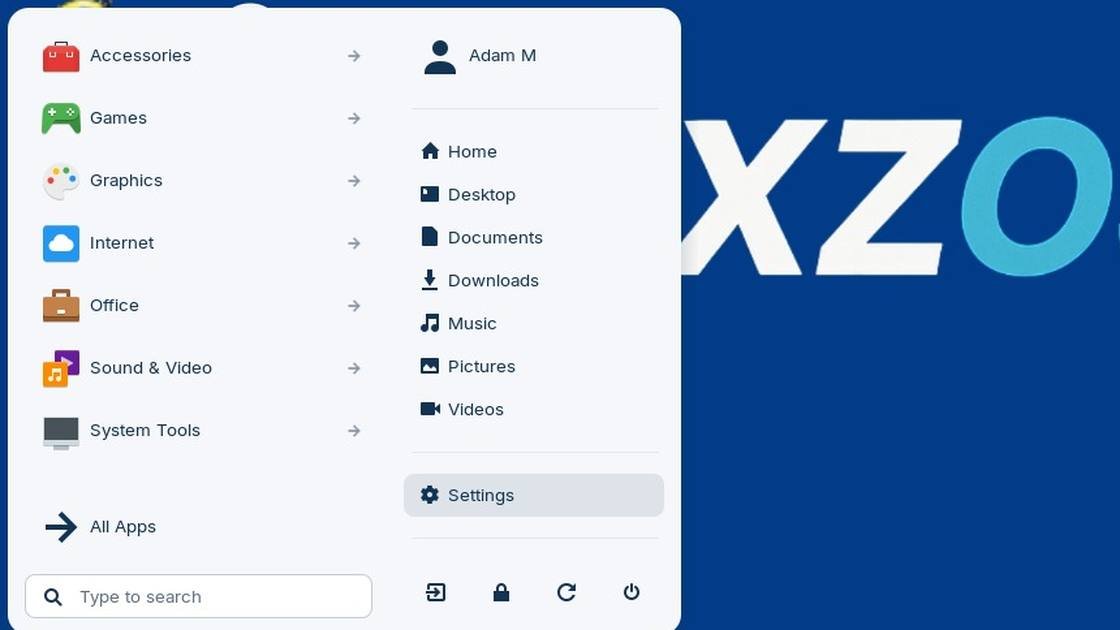
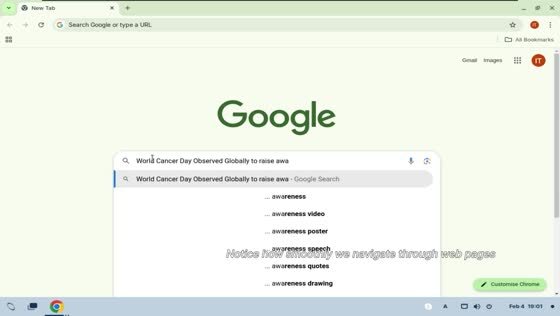
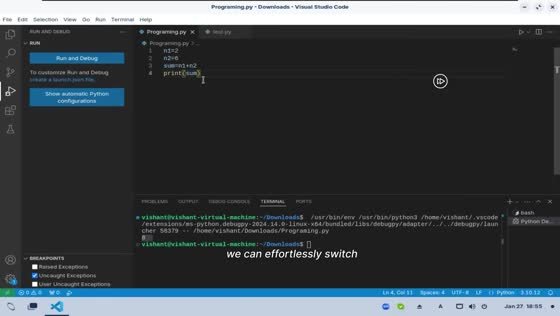
These images come from the existing demo video and the presentation.
What it is
Familiar interface
80 to 90 per cent the same as what people already use. Switching stays within what they can already do.
Lightweight
Runs smoothly on older and modestly specified hardware.
GDPR-by-design
Privacy sits in the architecture and is on from the first start.
Data sovereignty
Centrally vetted code, data inside its own jurisdiction.
Longer hardware life
A light architecture keeps machines in service 35 to 50 per cent longer, so the replacement round moves out by years.
Look and feel
The desktop in use
The interface matches what people already know from Windows by 80 to 90 per cent. The start button sits in the same corner, the task bar runs along the bottom, the clock and the volume control sit on the right, and a file still opens with a double click.
- Start menu with a search box, so an application is found the same way as before
- The familiar folders: Home, Desktop, Documents, Downloads, Pictures, Videos
- The same browser, the same office documents, the same PDF reader, the same video calls
- Settings, printers and network in the places people expect them
Because the pattern carries over, the introduction is a walkthrough of about fifteen minutes rather than a training programme, and people work productively the same day.
The product
NEXZOS from your own role
NEXZOS is a desktop operating system: the software layer between your hardware and the applications your staff use all day. It is the thing Windows is. It is built and maintained in Europe, it runs on the machines you already own, and it is designed so that you can answer the question of where your workstation data goes.
Every line, for the reader who wants the whole picture.
Three numbers and one question: what it costs after October 2028, how many machines you keep, and where the data goes. Below are the parts of the working day and of the comparison that reach your desk.
Directory, shares, printing, management tooling, and the applications that only exist for Windows. The rows below are the ones your team will raise first, including the three where Windows is still ahead.
Cost model, supplier, jurisdiction and exit: exactly what an award memo or an investment request needs, and nothing further.
Logging in, files, documents, mail, meetings, printing. The desktop is 80 to 90 per cent what people already know, and the rest is a fifteen-minute walkthrough.
Your working day on NEXZOS
The ordinary Tuesday, task by task; only the tasks that touch your role are shown.
The member of staff enters the account they already use today. NEXZOS connects to your existing directory, so accounts, groups and password rules stay where they are managed now. Two-factor login is supported, and smartcard login as well: the reader, the middleware and the certificate chain are set up during the pilot for your own card scheme.
Network drives appear as drives. The file manager handles the shares your organisation already runs, and a document saved from NEXZOS is the same file a Windows colleague opens from the same folder a minute later.
Word, Excel and PowerPoint files open, edit and save in their own formats. Two routes exist and the assessment picks one for you: the office suite that runs locally on NEXZOS, or the browser version of the suite your organisation already licenses.
Through the browser, or through a local mail client against the mail server you already have. Shared mailboxes, room booking and calendar invitations behave as they do now.
A current, standards compliant browser. Everything your organisation has already moved into the browser, which for most office organisations is now the larger part of the working day, is unaffected by the operating system underneath it.
Meetings run in the browser with camera, microphone, screen sharing and the usual headsets. Local clients exist for the common platforms.
Network printers and multifunction devices are added centrally and appear in the print dialogue. Follow me printing and card release run through the print server you already operate.
This is where estates differ, and where we are careful. Web based specialist systems simply work. Windows only executables take one of four routes: a Linux version, the browser version, publishing the application from a server, or keeping a small number of Windows machines for that one task. The assessment sorts every application you have into one of those four.
Software distribution, policy, disk encryption, inventory and remote support, run by your own administrators with standard Linux tooling, Ansible and Landscape. The tooling differs from what a Windows administrator uses today. That is real work in the migration and it is costed as such.
Security updates arrive over a European update route that you can point at your own mirror, on a schedule your administrators set. The update route runs for as long as the release is supported, as part of the support.
NEXZOS in one panel
- Category
- Desktop operating system for the workplace
- Foundation
- Linux, the code base that already carries most European public sector servers
- Runs on
- The workstations and laptops you already own, including machines below the Windows 11 requirements
- Desktop
- Start menu, taskbar, file manager, windows. Familiar by design
- Managed from
- Central policy, software distribution and updates, on infrastructure in the region you pick
- Data
- Stays in your jurisdiction. What leaves the workstation is written into the data processing agreement
- Licence
- European supplier, European contract law, European court of jurisdiction
- Built by
- TresBizz, Brussels, Belgium
Every line here is checked against your own estate during the assessment.
Where it differs and where Windows is ahead
A comparison is only worth reading if it is allowed to lose somewhere. This one does, in three places, and they stay in the table whichever role you pick.
| Subject | Windows 10 and 11where you are now | NEXZOSthe European route |
|---|---|---|
| Security updates after October 2028 | The Extended Security Updates programme closes. A Windows 10 machine then runs on the last update it received. | Updates continue through the European update route for as long as the support agreement runs, the next major release included. |
| Cost model | Per device, per year. For ESU the amount doubles each year: 52, then 105, then 210 euro. | € 80, 65 or 55 per workstation once, year one of support inside, then € 12 and € 15 a year for support and upgrades, the next major release included. Software cost from 40 per cent lower, recalculated on your own estate. |
| Hardware requirements | Windows 11 sets a bar that a share of working machines fails, which turns a software deadline into a hardware purchase. | A light architecture. Machines below the Windows 11 test stay in service, and hardware life runs 35 to 50 per cent longer. |
| Where the data goes | Telemetry, account services and the update path sit with a supplier outside the European Union. | Data, administration and updates stay in the jurisdiction you choose, written into the processing agreement. |
| Inspecting the code | Closed source. What the system does is described to you rather than shown to you. | Built on an open foundation. A source audit by your own security people or an independent party can be arranged. |
| Supplier and jurisdiction | Contract, jurisdiction and escalation route outside the European Union. | A Belgian company, European contract law, and a supplier reachable in your own time zone. |
| Exit | Leaving means changing operating system, which is the exercise you are reading about now. | Exit conditions, escrow and support for a return can be arranged, and are written into the contract before the pilot starts. |
| Installed base and references | Decades of deployment and references in every sector. Anyone who asks a peer organisation will find one. | The first organisation in production has yet to start. This is our weakest point and we leave it in the table. |
| Third party application catalogue | The largest catalogue of desktop software there is, including the specialist packages organisations depend on. | Smaller. Web applications work, Linux applications work, Windows only executables need one of four routes. |
| In house expertise | Your administrators already know it, and the labour market is full of people who do. | Different tooling, so administrator training is a real line in the migration budget. We cost it rather than hide it. |
| Staff familiarity | The desktop your people have used for twenty years. | Deliberately close to it: start menu, taskbar, file manager, windows. Close stays close, and the pilot measures the difference in support calls. |
The one point to check first. If a critical application in your organisation only exists in a Windows version, that application decides your migration route, and the operating system follows. The assessment names those applications in the first week, before anything is decided.
Where Windows genuinely wins
Maturity, the reference base and the catalogue of specialist software. If your estate depends on a package that exists only on Windows, that is a real reason to keep Windows on those workstations, and the report will say so.
Where the two draw
Everything that already lives in the browser. For most office organisations that is now the larger part of the working day, and that part is independent of the operating system underneath.
Where NEXZOS wins
The cost curve after October 2028, the life left in the hardware you already own, and the ability to answer a council or a supervisory authority about where workstation data goes.
The longer explanation: what an operating system decides for an organisation, and why the desktop looks conventional
An operating system decides three things that matter to an organisation. It decides what your hardware is still allowed to do, because the requirements it sets determine which machines you may keep. It decides what your software costs, because the licence model attaches to the workstation. And it decides where the data on that workstation travels, because the system itself reports back to whoever maintains it.
Windows 11 answers those three questions in a way that costs you money. It sets the hardware bar higher, so part of your working machines have to be replaced. It keeps a licence per device per year. And the telemetry, the account layer and the update service sit with a supplier outside the European Union.
NEXZOS answers them differently. It is built on a Linux foundation, the same family of code that already carries most European public sector servers, packaged into a desktop that a Windows user recognises. The requirements are light, so machines that sit below the Windows 11 bar keep working. The licence is a European one. And the data, the administration and the update route stay inside the jurisdiction you choose.
The desktop your staff see is deliberately conventional: a start menu in the bottom left, a taskbar, a file manager with folders and drives, windows that minimise and maximise the way they always did. That is a deliberate design decision. The cost of an operating system migration sits almost entirely in retraining and in support calls, and the way to hold that cost down is to leave the surface where people expect it.
Four things worth being precise about: what it replaces, what stays the same, what changes underneath, and where the boundary lies
What it replaces
The operating system on the workstation, and the licence that comes with it. Your servers, your network, your storage, your line-of-business systems and your cloud services stay where they are. NEXZOS changes the desktop layer and leaves your infrastructure as it is.
What stays the same for the person using it
Logging in, finding a file, opening a document, printing it, joining a meeting, using the web applications your organisation already runs in the browser. The steps are the ones your staff already know, so the training is a briefing rather than a course.
What changes underneath
The update route, the account and policy layer, the telemetry, the licence and the supplier relationship. All of those move from a supplier outside the European Union to one inside it, with the data path written down before the first machine is installed.
Where the boundary lies
This is a full operating system with local applications, local files and local peripherals, and therefore something other than a virtual Windows desktop or a device with only a browser. It runs Linux software: applications that exist for Windows only need a route, and finding that route for your estate is the purpose of the assessment.