Europe's own operating system
Save per workstation and help build the system
For the workstation in the public sector and in business. Your data stays in Europe, it runs on the computers you already own, and software cost is from 40 per cent lower.
Europe runs largely on software from outside Europe, software that moves with rules other than our own. NEXZOS changes that. And we build it together with the first organisations to step in: they save from the first workstation and have a say in what goes into the system next.
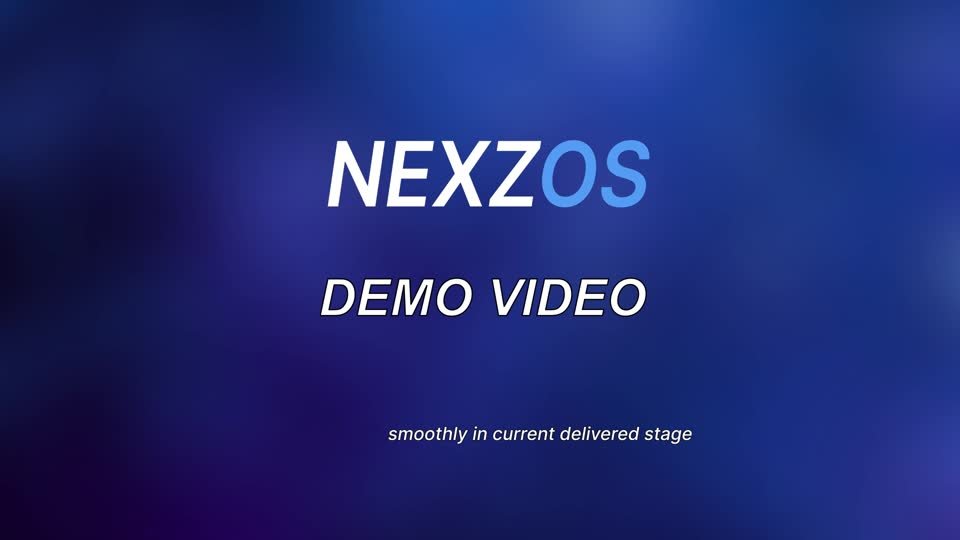
Choose a real demo, or watch our demo video.
Redrawn from the real start screen. The screenshot itself goes here.
Why we do this with several organisations at once
Starting together after one assessment
More organisations make it stronger and cheaper for each of them
So we bring the organisations that want this route together in one programme: one shared assessment model, one schedule and one price list, with a separate decision and a separate procurement route for each organisation. The assessment is the step running now. If enough organisations sign after that, delivery starts in December 2026 or February 2027.
Taking part also brings a seat in the user group: the forum that helps decide what goes into the system next. That group stays in place after the rollout, because a workstation that has to last ten years should be steered by the people who work on it every day.
The assessment
Your own estate, your own applications, your own figures. From € 675, and it produces a report that stays usable on its own.
Feb 2027
The start
With enough participants the programme starts. One schedule, one release calendar, one price list for all participants.
What this is set against
That is what one Windows 10 workstation still costs in Extended Security Updates in year three. Years one and two, € 157 together, are already paid or already bought and therefore stay outside the comparison.
The user group
Participants sit at the table for what gets built next, and that table stays in place after the rollout.
Why this site exists
Support for Windows 10 ends
That leaves a bill and a deadline
Until October 2028 every Windows 10 workstation costs money to keep secure, and once the Extended Security Updates programme closes, that machine is on its own for security updates. The usual answer is to replace the hardware. This site sets out the other route in figures, so your own people can hold it against your own estate.
Where your data sits
The code is maintained centrally, your data stays on infrastructure in the country or region you pick. What leaves the workstation, and where it goes, is written into the processing agreement before the first machine is installed.
The bill for staying
Per workstation over three years of Extended Security Updates: € 52 in year one, € 105 in year two, € 210 in year three. Years one and two are already paid or already bought and are therefore fixed. What is left is € 210 per workstation, and in October 2028 the programme ends.
Microsoft list price, converted from USD at the ECB reference rate of 28 August 2026.What a European operating system changes
Lower software cost, on the machines you already own. Hardware lasts 35 to 50 per cent longer, so the replacement round moves out by years rather than arriving together with the deadline.
Both figures are recalculated for your own estate during the assessment.GDPR by design
Data protection was part of the development phase: what the system records, where it travels and how long it is kept. How compliant the end result is follows from the way you configure it, so the assessment carries a data protection section written with your own privacy officer, including input for a DPIA.
Who this is written for
Four people have to agree
Each of them asks a different question
They ask different questions and each reads a different page. This site is arranged so each of them arrives straight at their own answer.
Lower software cost
Against a per-seat, per-year licence model.
Longer hardware life
A light architecture, so machines below the Windows 11 requirements stay usable.
Data in your jurisdiction
Centrally vetted code, with data and administration inside the jurisdiction you choose.
High costs from doing nothing
€ 210 per workstation can still be avoided; years one and two are fixed
Microsoft charges for Extended Security Updates per device per year; the amount doubles every year and the programme ends in October 2028. Year one (€ 52) and year two (€ 105) have by now been paid or bought, € 157 together, and that bill is beyond our reach. The comparison below is about year three: € 210 per workstation. Move the slider to your own number of workstations.
Converted from USD at the ECB reference rate of 28 August 2026. Up to 100 workstations the NEXZOS figure is a pilot after an Assessment, project fee and licences included; above 100 it is a rollout after a pilot. Hardware you would otherwise replace is left out here and shown in the quotation builder.
The ESU curve per workstation, year by year
What Windows 10 ESU costs per workstation
| Per workstation | Year 1 | Year 2 | Year 3 | Total |
|---|---|---|---|---|
| Windows 10 ESU, per year | € 52 | € 105 | € 210 | € 367 |
| NEXZOS at 100 workstations, after an Assessment | € 245 | € 12 | € 15 | € 272 |
ESU rates converted from USD at the ECB reference rate of 28 August 2026. NEXZOS year one is the pilot package per workstation (project fee and licence, first year of support inside); years two and three are support and upgrades. After year three ESU stops, while NEXZOS continues at € 15 a year.
Ten minutes, in order. Read this page for the deadline and the route. Open the product page for what NEXZOS is and what a working day looks like. Enter your own number of workstations in the price calculator. Then send the compliance page to whoever handles privacy and security at your organisation, and the procurement page to whoever signs. That is the whole preparation for the first conversation, and it is all free.
See it running
Three minutes in one take on ordinary hardware
The demo walks through the desktop, the file manager, the browser, the office applications and a code editor, on a normal office machine. Recorded in one take, screen only.
It is the quickest way to judge the point that decides everything else: whether your own staff recognise this desktop and simply carry on working. Three minutes of watching replaces half an hour of explanation, and you can forward it to everyone who has a say.
Watch it first, then book a live demo for the questions that remain. Anyone who has already seen the video gets considerably more out of that conversation.
The video plays here on the page, in English. A copy for internal circulation is available on request.
The first step is free
A conversation and a live demo outside your budget
A conversation of 30 to 40 minutes and a live demo, separate from budget and separate from a decision. After that you choose how deep to look, and every step has its own price and its own go or no-go.